How to Think Like a Motion Designer
By Katherine Wren
During her Figma Config 2026 talk, “Design Systems Anarchy,” Lauren LoPrete, Head of Design Foundations at Mercury, stood on stage and told a room full of designers that we’ve all quietly turned into cops.
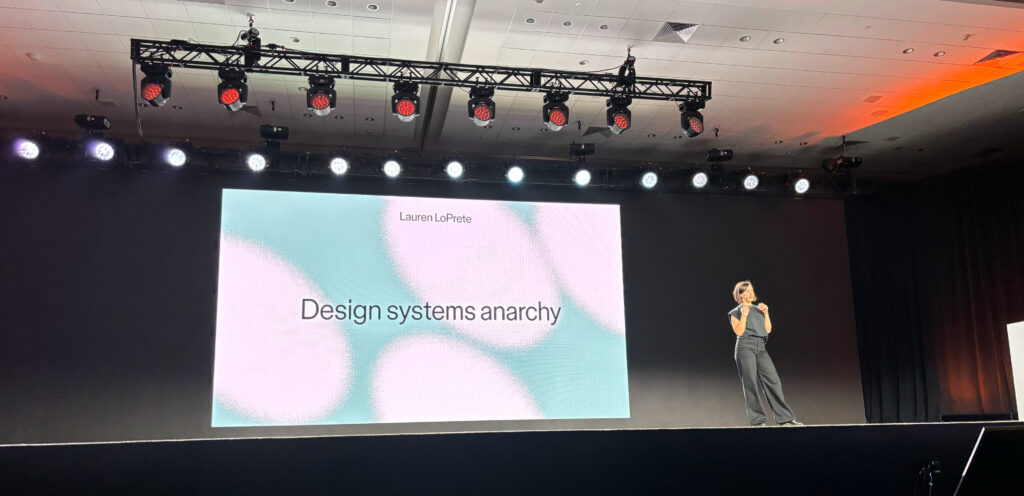
Think about the documentation nobody follows and the governance processes product teams work around. Seen that way, design systems start to look less like tools and more like checkpoints. Product teams look like teenagers trying to sneak past the bouncer without paying the five-dollar cover.
But what if the answer isn’t better governance? What if teams need better ways to create within shared boundaries?
That question is why I keep coming back to Figma’s June product/feature announcements. Code Layers, Figma Motion, Shaders, Generative Plugins, and Figma Make weren’t launched as design system products. In fact, several people I spoke with after LoPrete’s talk saw them as completely unrelated to design systems work.
I couldn’t disagree more. With a little imagination, these launches are exactly the toolkit we need to stop policing our systems and start curating them.
LoPrete framed her talk around punk rock. Her strategy boils down to one idea: build infrastructure for people who care. That’s what makes a systems culture work. It’s not documentation, schemas, or any component contracts.
The way I see it, your design system isn’t a rulebook. It’s a record label.
You’re not approving every track before it drops; you’re building the studio. You set the label’s identity, then trust the artists to bring their own voices in ways that amplify everyone else’s.
That means treating Code Layers, Motion presets, and Shader effects the way a label treats its sample library: curated material that exists to be built on.
If a product team wants to remix a component with a new fill, effect, or functionality, your job isn’t to reflexively block it. It’s to help make sure the remix stays consistent with the rest of the system and lands somewhere others can reuse it. When teams can create without reinventing from scratch, everyone moves faster, and they’ll thank you for it.
Code Layers put actual, running code directly on the canvas. You can clone a GitHub repo, edit the code like you’d edit a frame, and push changes back without ever tabbing over to an IDE like Cursor or VS Code.
Nikolas Klein, a Product Manager at Figma, described it as treating code “like any other design material.” That should terrify anyone still maintaining a Notion components page that hasn’t been touched since last April.
Your design system isn’t a library of component screenshots. If it only lives in Figma, it isn’t a library at all. It’s a UI kit.
That’s where Code Layers gets interesting. A button isn’t a frame with auto layout; it’s a piece of code with all its styling applied. The conversation shifts from “Does this match the Figma file?” to “Does this Code Layer actually behave correctly?” Governance becomes less about visual consistency alone and more about making sure experiences work the way they’re intended to.
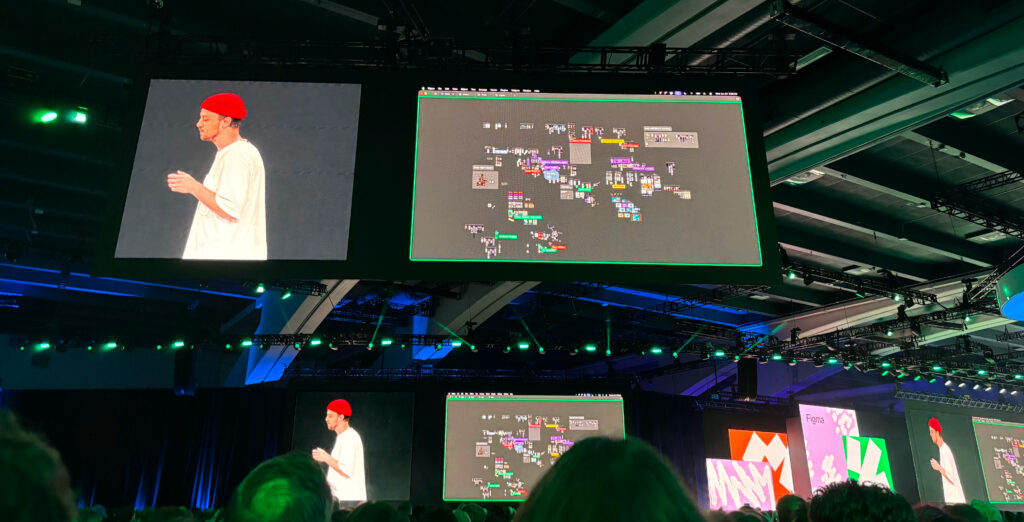
Then Figma Motion eased onto the scene. With keyframes, springs, and easing curves that rival Adobe After Effects, teams can create animations that export directly to CSS, React, and especially MP4 files (so happy about the last one)!
Shaders offer something similar for visual effects. Describe an effect in plain English, and Figma generates a reusable, native effect with zero code involved.
Motion and Shaders are creative primitives. It’s tempting to treat these as novelties: use them once on one screen and forget they exist. That’s a big miss.
If your system has a token for “brand-primary-blue,” why not a shared standard for an easing curve (how an animation speeds up and slows down when entering a page or element) on every modal entrance or the effect applied to every featured card? Left unmanaged, teams will make those decisions independently. Over time, those one-off choices will accumulate into messy piles of inconsistent experiences.
These new materials are begging to be systematized the way color and type were a decade ago. Don’t wait for Figma to build dedicated functionality for this. Build the shared motion and shader library yourself before someone else’s one-off becomes the accidental house style.
You can now describe a tool to the Figma Agent, and it builds it for you. Whether you need a plugin that brings every Google Material icon into an icon library in Figma and componentize every single icon style, you can make native tools with no code, no publishing, and no waiting on a platform team.
This is where LoPrete’s punk ethos stops being a metaphor and becomes literal. A self-built plugin is a lot like a zine: small, scrappy, made by whoever was closest to the annoying task, shared without asking for permission.
So, give Generative Plugins a place where the good ones can get discovered and adopted. Host a plugin shelf. Curate, don’t approve. Let it be the Xerox machine in your file.
Figma Make lets designers visually edit a real production codebase, annotate changes, manage Git branches, and open pull requests, all without leaving the Figma canvas.
In the opening keynote, Klein pointed out that designers and developers are each “hundreds of prompts deep” with their own AI agents, then just throw prototypes at each other afterward. Make is an attempt to turn those two silos into one shared, iterative workspace.
Not everyone is convinced it delivers true design-to-code parity yet, and, honestly, I am in that camp myself.
Some critics argue that Code Layers are still closer to a mini Figma Site than a truly synced production component. The dream of a component that lives once, in one place, mirrored perfectly between Figma and the repo, hasn’t arrived quite yet.
To that, I say: fair enough.
But “not perfect yet” and “not worth building a strategy around” are two very different statements. Let it get you to the next step instead of dismissing its potential outright.
These capabilities may not have been marketed as design system tools, but that’s precisely the opportunity. Code Layers, Motion, Shaders, Plugins, and Make are the paper, scissors, and glue sticks spread across the table, waiting for someone to decide what’s taped to the wall at the next concert venue.
If systems teams don’t claim that job, individual product teams will make those decisions, one disconnected Slack thread at a time. You’ll spend 2027 on a months-long audit of inconsistent patterns that nobody wants to run, when you’d rather be building the next great experience your developers are excited to bring to life.
So don’t wait for Figma’s next feature release to say the words “design systems.”
Pick one Motion curve. Publish one shader. Spotlight one useful plugin this month, and make it official. Create the conditions for good ideas to spread.
Small, deliberate, and unglamorous work is exactly the kind of quiet infrastructure-building LoPrete means when she says, “quality comes from culture, not compliance.”
Design systems are ultimately collections of shared decisions, not a system of laws. The opportunity isn’t to police every decision. It’s to recognize the good ones, make them reusable, and help them spread.
Start a conversation with your teams about these tools, and see which decisions you can make together. Just make sure it’s fueled by unbridled creative energy and a healthy sense of anarchy.
That’s not gatekeeping. That’s curation.
Caleb Smith is a Design System Lead at One North, specializing in design system strategy, governance and adoption. With deep expertise in building scalable, cohesive systems, from tokens and components to larger patterns and the interactions between them, he partners with clients to establish living foundations that drive better workflows for designers and developers across every breakpoint.